Downloads.
The latest LABKickstart software releases. Free while in beta.
LABKickstart Ultraviolet
Data analysis and graphing for physics labs. Import any CSV, build calculated columns, fit curves, and draw min and max lines.
Opening on macOS the first time
Ultraviolet isn't notarized by Apple yet, so the first time you open it macOS shows this:
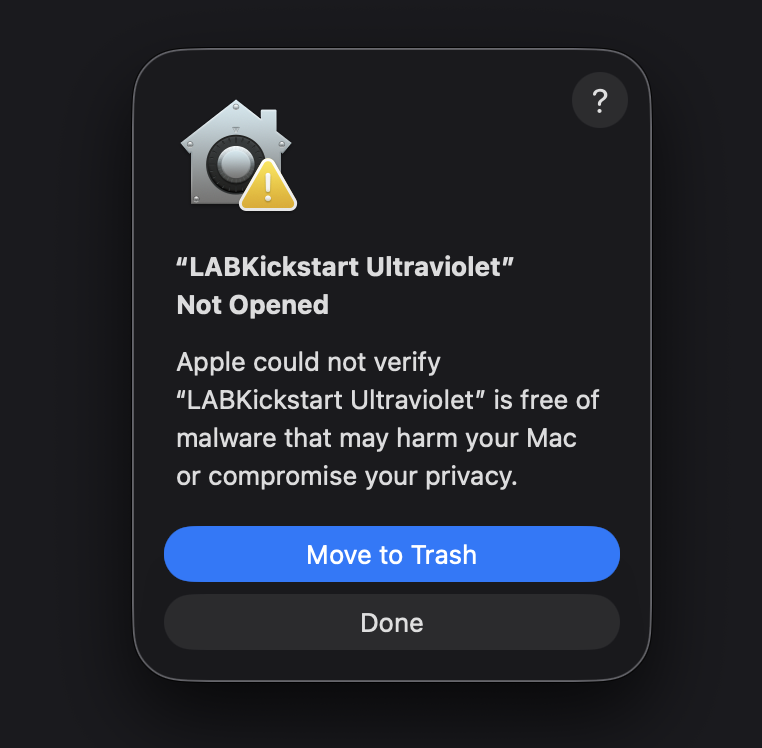
- Click Done (do not click Move to Trash).
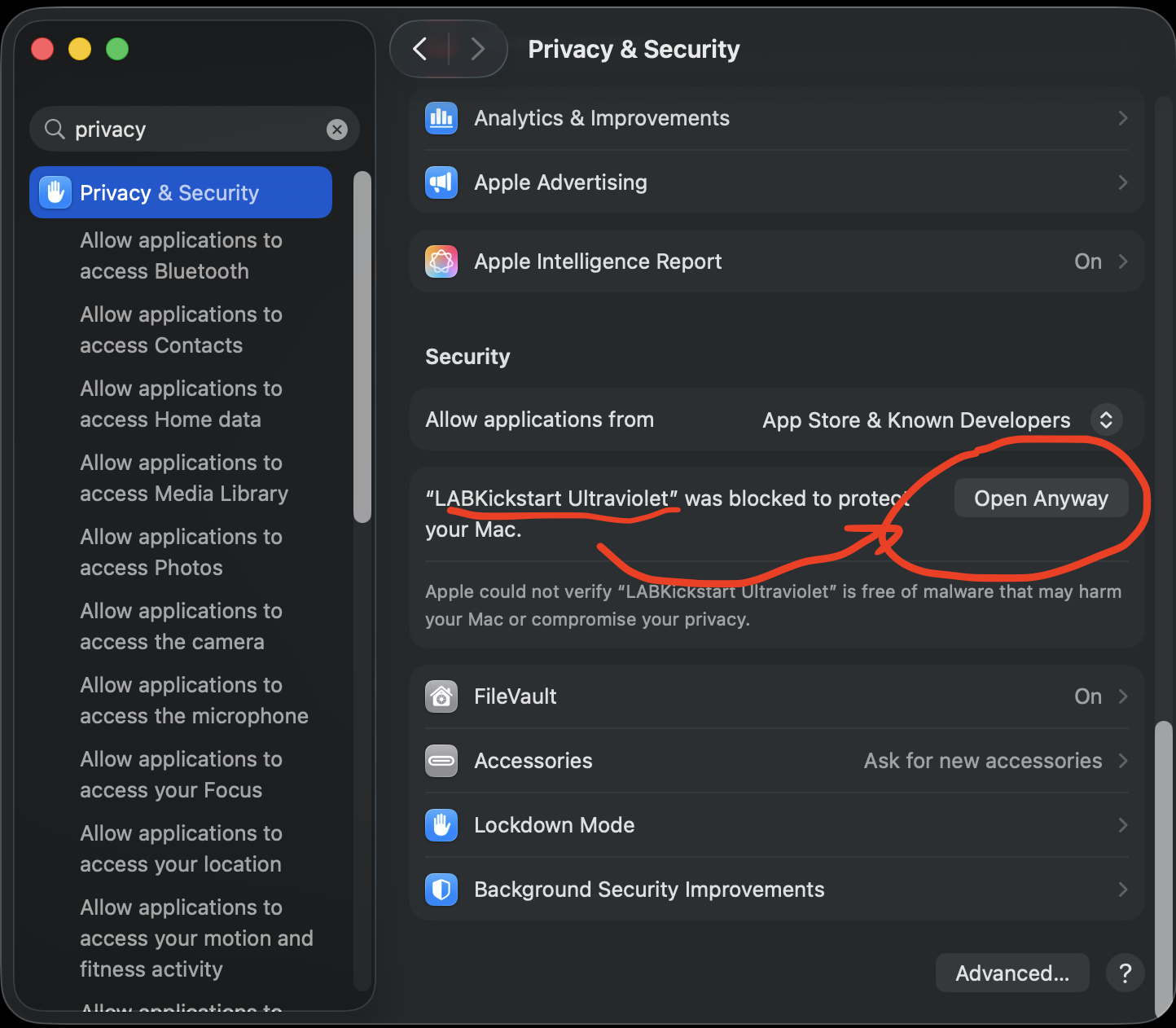
- Open System Settings, then Privacy & Security.
- Scroll to the Security section. You'll see "LABKickstart Ultraviolet was blocked" with an Open Anyway button. Click Open Anyway.
- Confirm with your password or Touch ID, then click Open. It launches normally every time after that.